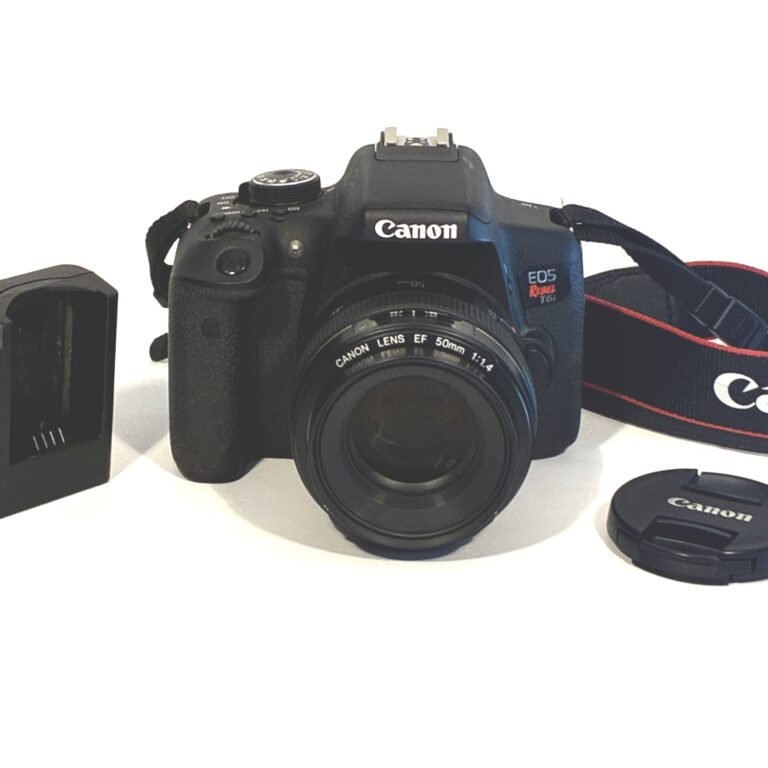

How to Check a Camera’s Shutter Count – A Practical Buying Guide
The easiest way to assess mechanical wear on a used DSLR or mirrorless camera is to read its shutter count — a number buried in your photos’ metadata. In just two minutes, you can see exactly how many times that camera has fired. Here’s why it matters, how to find it, and what the numbers really mean.
—
Table of Contents
Introduction
New camera buyers often feel confident negotiating price based on age. “It’s from 2018,” they say, “so it should be cheap.” But here’s the reality: a camera from 2018 that sat in someone’s closet with 2,000 actuations is mechanically younger than a camera from 2022 with 150,000 clicks. The shutter count — a record of how many times the camera’s mechanical shutter has fired — is far more telling than the calendar year. Yet most people buying used cameras never check it. They don’t know it exists.
This matters because mechanical shutters wear out. Every time you press the shutter release, two sets of metal curtains snap open and closed at precise, high speeds. Over hundreds of thousands of cycles, this mechanism eventually fails. It’s not a question of *if* — it’s a question of *when*. And knowing how much of that lifespan remains is critical information that affects both price and value.
The good news is that checking shutter count takes two minutes and a free website. The manufacturer embeds the count automatically into every photo your camera takes. You don’t need special software or technical knowledge. You just need to know where to look and what the numbers mean.
By the end of this guide, you’ll understand why shutter count matters, how to check it, and whether a used camera’s count is a reason to negotiate lower or walk away entirely.
—
What Is a Camera Shutter Count?
A shutter count — also called shutter actuation count — is the number of times a camera’s mechanical shutter has opened and closed.Think of it like the mileage on a car’s odometer. Every time you press the shutter button, the count goes up by one. Shoot 1,000 photos, the count increases by 1,000.
This count is stored automatically in the EXIF (Exchangeable Image File Format) metadata of every JPEG and RAW file your camera produces. EXIF is invisible metadata embedded in every digital photo — it records the shutter speed you used, the aperture, ISO, focal length, date and time, white balance, and dozens of other technical details. The camera manufacturers agreed long ago to include shutter count in this metadata, which means almost every Canon, Nikon, Sony, Pentax, and Fujifilm camera ever made stores this information.
Important note: Shutter count only tracks mechanical shutter actuations. If you shoot using an electronic shutter (available on most mirrorless and some newer DSLRs), that doesn’t add to the mechanical count. Pressing the button in electronic shutter mode fires a digital sensor directly rather than opening and closing physical curtains. Video recording also does not increment the mechanical shutter count — the camera captures a continuous stream of frames digitally, not individual shutter clicks.
—
Why Shutter Count Matters When Buying Used
The age of a camera is almost irrelevant. A five-year-old camera that was used for three weddings might have a lower shutter count than a two-year-old camera that shot 200 wedding receptions. The mechanical shutter is rated to last for a specific number of actuations — typically 100,000 to 500,000 depending on the camera model. Once it reaches that limit, it will fail and require professional repair or replacement, which costs $300-$800+.
When you buy a used camera, the shutter count tells you:
1. How much of the camera’s mechanical life remains. A 50,000 actuations count means you’ve used 50% of an entry-level camera’s rated lifespan, or only 10% of a pro body’s.
2. Whether the seller is being honest. If someone claims the camera was “barely used” but the shutter count is 180,000, the numbers don’t match the story. This is your proof.
3. Fair market value. A camera with 20,000 actuations on its shutter is worth significantly more than an identical model with 250,000 actuations. Knowing the count lets you negotiate intelligently.
4. Risk assessment. A camera at 80% of its rated lifespan *might* last years longer, or the shutter might fail next month. You’re buying used; the shutter count is your risk metric.
Understanding Shutter Ratings by Camera Type
Different cameras have different mechanical durability. Manufacturers design entry-level cameras expecting lighter use, while professional models are built for the abuse of daily commercial photography.
Entry-Level / Consumer DSLRs & Mirrorless
Canon EOS Rebel series, Nikon D3500, Sony a6400 — typically rated for 50,000 to 100,000 actuations.
A low mileage camera in this class would be under 20,000 actuations. Moderate use sits between 50,000-75,000. Once you cross 100,000, you’re living on borrowed time mechanically.
Mid-Range / Enthusiast Bodies
Canon EOS 80D, Nikon D7500, Sony a6700 — typically rated for 150,000 to 200,000 actuations.
These cameras can handle more work. Under 50,000 is very low mileage; 100,000-150,000 is moderate use for an enthusiast; anything above 200,000 means heavy use.
Professional-Grade DSLRs & Mirrorless
Canon EOS R5, Nikon D850, Sony a9 series — typically rated for 300,000 to 500,000 actuations.
Professional cameras have more robust shutters, often with carbon-fiber curtains and advanced mechanisms. A professional body at 300,000 actuations might be at mid-life, not end-of-life. But a consumer camera at 300,000 is well past its mechanical rating.
Important caveat: These ratings are manufacturer estimates, not hard guarantees. A shutter rated for 100,000 actuations can fail at 85,000 or keep running at 150,000. Maintenance, care, and environmental factors (heat, humidity, dust) all affect real-world longevity. The rating is your floor, not your ceiling.
—
How to Check Shutter Count: Three Methods
Method 1: Online Tools (Easiest)
The simplest way to check shutter count requires nothing but a photo and a web browser.
You’ll need:
– A JPEG image taken directly from the camera (not cropped, edited, or screenshotted)
– Proof the image is recent (include today’s date or a newspaper in the photo if buying in person)
Steps:
1. Get a JPEG from the camera. Ask the seller for a JPEG image shot with that specific camera — any scene, any subject. You need it in JPEG format because Nikon cameras, in particular, only embed shutter count in RAW (NEF) files or JPEG files, not in-camera menu displays for most models. If buying in person, ask them to take a fresh photo right in front of you.
2. Visit CameraShutterCount.com. This free tool works for Canon, Nikon, Sony, Pentax, Fujifilm, and Olympus cameras.
3. Upload the JPEG. Drag and drop the file into the website’s upload box, or click to select it.
4. Get your result instantly. The website reads the EXIF metadata and displays:
– Total shutter count
– Your camera model
– Manufacturer-rated lifespan for that model
– Percentage of rated lifespan remaining (e.g., “45,000 of 100,000 — 45% life remaining”)
Why this works: The website simply parses the existing metadata. It doesn’t connect to the camera, doesn’t require software, doesn’t need you to know technical details. It’s reading data the manufacturer already put there.
Alternatives:
CheckShutterCount.com and ShutterCount.com work identically and support the same camera models.
—
Method 2: EXIF Readers (Medium Difficulty)
If you have photos from the camera but can’t use the online tool (privacy concerns, offline environment), EXIF reader software lets you inspect the metadata manually.
Free EXIF readers:
– For Windows: ExifTool (command-line), ImageMagick (command-line)
– For Mac: ExifTool, Preview (built-in, limited)
– Online alternative: Any “free EXIF viewer” website where you upload a photo
When you open a JPEG in an EXIF reader and examine the raw metadata, look for tags like:
– Canon: Search for “Shutter Count” or “Canon Maker Note”
– Nikon: Search for “Shutter Release Count” in the maker note
– Sony: May not embed mechanical shutter count in JPEGs; use RAW files or online tools
This method requires more familiarity with metadata but gives you direct access to the raw data without uploading to a website.
—
Method 3: Manufacturer Software (Advanced)
Some manufacturers offer desktop software that connects to the camera via USB and reads shutter count directly from the camera’s memory.
Canon: Canon’s EOS Utility software (older versions; current versions don’t reliably display shutter count) or third-party tools like Canon EOS Info.
Nikon: Nikon’s Camera Control Pro or third-party readers can pull the count from the camera directly.
Sony: ViewNX-i or third-party EXIF software.
Limitation: This requires you to have the camera in hand, a USB cable, and the software installed. If you’re buying remotely or inspecting a camera you don’t own yet, you can’t use this method. The online tool is faster and doesn’t require installation.
—
Interpreting the Numbers: What Counts as “Low Mileage”?
The shutter rating alone doesn’t tell the whole story. Context matters.
Entry-Level Camera with 50,000 Actuations (Rated 100,000):
This is at 50% of rated life — not low mileage. Someone has used this camera moderately. It has at least 50,000 more clicks in it before hitting the rated limit, but the shutter is no longer fresh. Fair value is notably less than a 10,000-actuation version.
Entry-Level Camera with 15,000 Actuations (Rated 100,000):
This is low mileage — only 15% of rated life. The camera is mechanically young. Reasonable price for a used model.
Professional Camera with 200,000 Actuations (Rated 400,000):
This is mid-life — 50% through its rated lifespan. A professional camera is *expected* to have high counts; this is normal for a pro body in active use. Still plenty of life remaining.
Professional Camera with 400,000 Actuations (Rated 400,000):
This is at its rated limit. The shutter *could* fail tomorrow, or *could* last another 100,000 clicks. Risk is high. Even if mechanically functional, the resale value drops significantly. This camera needs a price adjustment or a replacement shutter.
General benchmarks:
– Under 20% of rated life = Low mileage; premium pricing justified
– 20-50% of rated life = Moderate use; fair pricing
– 50-80% of rated life = Heavy use; negotiate lower, assume near-future replacement
– Over 80% of rated life = Very high risk; price must reflect shutter uncertainty or demand proof of recent professional inspection
—
What Shutter Count Really Tells You (And What It Doesn’t)
Shutter count IS reliable for:
– Assessing mechanical wear on the shutter mechanism specifically
– Estimating how many photos remain before failure
– Comparing two otherwise identical cameras
– Understanding how intensively a camera has been used
Shutter count is NOT reliable for:
– Overall camera condition. A camera could have 30,000 actuations and a cracked sensor, dust inside, or a failed autofocus system. Low shutter count ≠ perfect condition.
– Image quality or optical performance. The lens and sensor are separate from the shutter.
– Whether the camera was treated gently. A photographer could fire 100,000 shots carefully and responsibly, or shoot 50,000 times while dropping the camera and exposing it to sand. High count doesn’t mean abuse; low count doesn’t mean pristine.
– Whether maintenance has been performed. A neglected camera with a high count is riskier than a well-maintained camera with identical counts.
Shutter count is one data point. It should be paired with:
– Visual inspection (barrel for dents, scratches, weathering)
– Lens condition (glass clarity, fungus, separation)
– Sensor inspection (dust, hot pixels, stuck pixels)
– Autofocus testing (speed, accuracy, reliability)
– Battery testing (still holds charge, functionality)
– A hands-on feel for wear and tear
—
Real-World Buying Scenarios
A wedding photographer selling a Canon 5D Mark IV:
The shutter count is 487,000 on a camera rated for 500,000. The seller says, “It’s a workhorse. I’ve shot hundreds of weddings.” The low count makes sense given the use, *but* the camera is at its mechanical limit. The buyer should either: (1) ask for a shutter replacement beforehand and adjust the price accordingly, or (2) walk away and find a body with more runway left. Buying a shutter at its limit adds financial risk.
A hobbyist selling a Nikon D7500:
Shutter count: 8,300 on a camera rated for 150,000. The listing says, “Barely used. Perfect condition.” The shutter count *confirms* the story. This is genuinely low-mileage gear. The price should reflect that freshness, but the buyer should still verify the lens, sensor, and autofocus function independently.
A camera store selling a used Sony a6400:
Shutter count: 1,200. The listing says, “Store display model.” This is suspiciously low *and* makes sense — a display camera might only have had a few demo shots. But a display model might have been handled roughly by many people. The shutter count is reassuring (low), but the deal still depends on physical inspection. Is the grip worn? Does the button feel loose? Are there scratches?
Buying a camera remotely online (eBay, international seller):
You ask the seller for a JPEG taken with the camera. They send one. You upload it to CameraShutterCount.com and see 95,000 actuations on a camera rated for 100,000. Red flag. You ask for additional confirmation — another photo, a screenshot of the camera menu if available. You verify the serial number if possible. You factor the high shutter count into your offer or decline the purchase.
—
Shutter Count Limitations: What It Doesn’t Tell You
Electronic Shutter Use:
If the seller shot 80% of their photos using electronic shutter mode (available on most modern mirrorless and some DSLRs), the mechanical shutter count will be artificially low. A camera with 30,000 mechanical actuations might have taken 150,000 total photos. Ask the seller how much they used electronic shutter. Trustworthiness becomes subjective here.
Mirrorless Advantages (and Caveats):
Mirrorless cameras that primarily use electronic shutters have no traditional shutter wear. However, they have other mechanical components (autofocus mechanisms, aperture blades) that can wear. Shutter count is irrelevant for fully electronic shutters, but it’s not zero-wear — it’s just wear on different systems.
Repair History:
A camera with a shutter replacement at 200,000 actuations resets differently depending on the repair. Did they replace just the shutter curtains, or the entire shutter assembly? The count shown might reflect the second shutter’s mileage, or it might be cumulative. If buying a camera with known repair history, verify what the count represents.
Storage Conditions:
Two cameras with identical shutter counts in different hands could have vastly different remaining lifespans. One stored dry, clean, and temperature-stable; the other exposed to humidity, dust, and temperature swings. The count doesn’t reflect these environmental factors.
—
Before You Buy: The Shutter Count Checklist
When buying a used DSLR or mirrorless camera:
– [ ] Request a JPEG from the camera (not edited, not a screenshot)
– [ ] Check the shutter count using CameraShutterCount.com or an alternative
– [ ] Note the rated lifespan for that specific camera model
– [ ] Calculate percentage used (actual count ÷ rated lifespan)
– [ ] Assess the count in context (Is it low, moderate, or high for this camera type?)
– [ ] Adjust your offer accordingly. (High count = negotiate down or walk away)
– [ ] Verify the image is recent. (Is the date stamp current? Ask for a photo taken today during negotiation)
– [ ] Inspect the camera in person or via detailed photos (dents, scratches, dust inside)
– [ ] Test autofocus, sensor functionality, and battery independently
– [ ] Get a written receipt that includes the shutter count you confirmed
—
Fact & Accuracy
This post references shutter count standards from Canon, Nikon, Sony, and Fujifilm as stated in their official specifications and verified against Adorama’s camera guides and independent testing data from imaging retailers. Shutter ratings by camera class (entry-level ~100,000 actuations; professional ~300,000-500,000) are based on manufacturer specifications confirmed across multiple sources including ShutterCheck.app, Swappa’s camera buying guides, and real-world data aggregated by CameraShutterCount.com. Percentage-of-life benchmarks (low mileage = 10-20% of rating; high risk = 80%+) reflect industry standards used by professional camera retailers, used camera dealers, and photography educators.
✅ Fact-checked against:
– Adorama’s “How to Check Your Camera’s Shutter Count” (February 2025)
– Swappa Blog “How to Check Shutter Count on a Used Camera”
– CameraShutterCount.com database and methodology
– Canon, Nikon, Sony official camera specifications
– Professional photography retailers (KEH, B&H Photo, Green Mountain Camera)
—
Related Concepts
Understanding shutter count pairs with other used camera inspection skills. See also:
– Buying & Caring for Your Camera: Inspecting Used Gear Before Purchase
– Sensor Dust, Hot Pixels, and Image Quality: What to Look For in Used Cameras](#) (related post)
– Understanding Autofocus Systems: Testing AF Reliability Before You Buy](#) (related post)
—
Closing & Next Steps
Shutter count is your single best mechanical indicator when buying used cameras. It takes two minutes to check, costs nothing, and gives you hard data for negotiating fairly. Use it.
But remember: shutter count is one piece of the puzzle. Pair it with a hands-on inspection, testing of autofocus and sensor, and honest assessment of the camera’s overall condition. A camera with low shutter count and a stuck lens is a bad deal. A camera with high shutter count and everything functioning is a better value, even if the price is the same.
Next time you’re shopping for used gear, get that shutter count first. Then decide if the price matches the mechanical life remaining.
Ready to put this into practice? Browse our inspected inventory of used cameras — all gear is tested and listed with accurate shutter counts before we sell. No guessing. No surprises.
—
Post Navigation
← Previous: Buying & Caring for Your Camera: Introduction to Inspection Standards
Next → Sensor Inspection: Dust, Hot Pixels, and Image Quality
—
Similar Posts
– How to Inspect a Used Lens: Glass Condition and Autofocus Testing
– Understanding Autofocus Performance: What to Test Before Buying Used
– Budget-Friendly Used Camera Buying: Getting the Best Value